How to Save Recipes to a USB Drive
Before you begin
- You will need a USB drive.
- You will need to know the pass code. The pass code set at the factory is 12345.
Procedure
To download recipes from the oven to a USB drive, do the following.
-
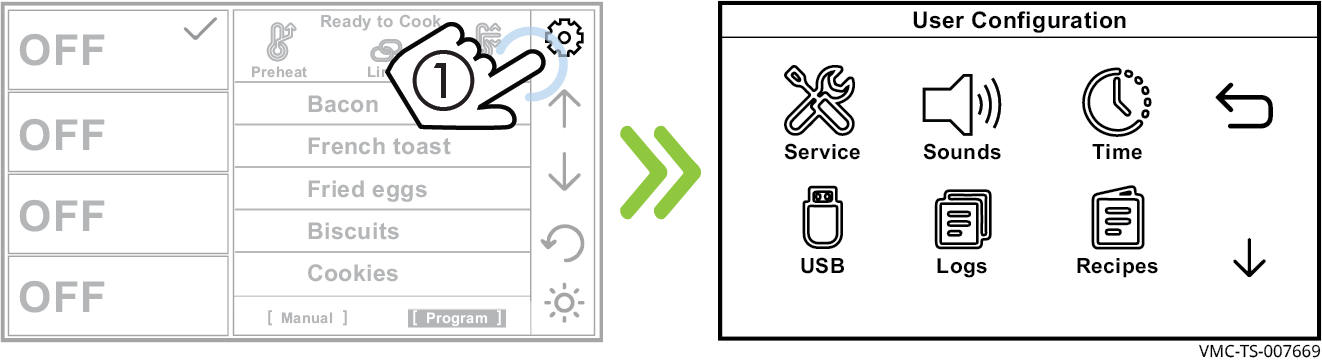
Touch the gear icon ①. The User Configuration screen displays.
-
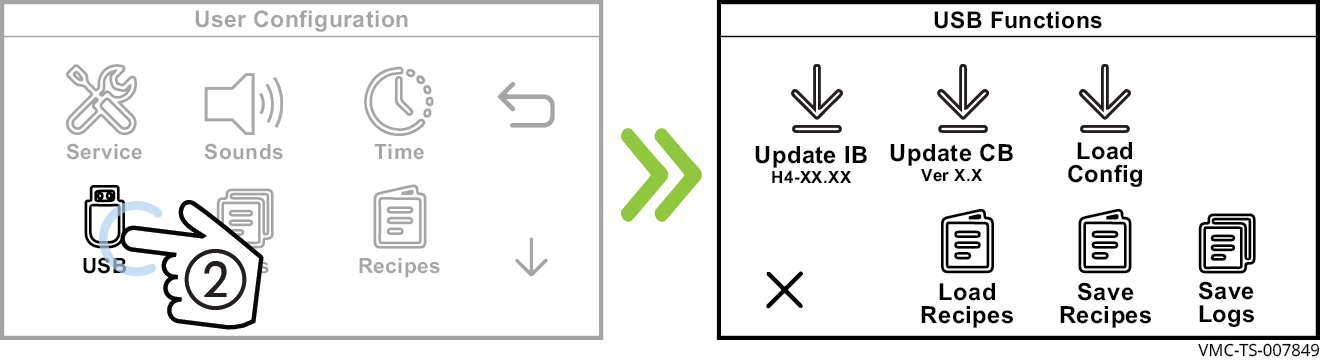
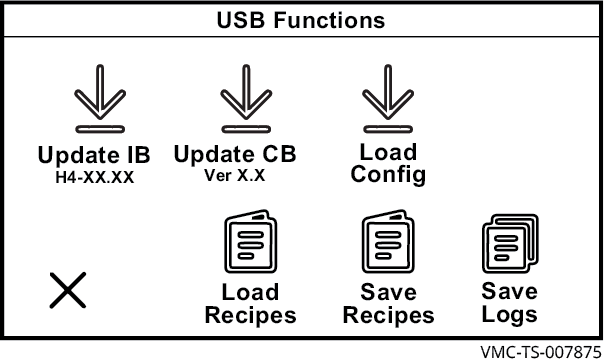
Touch the USB icon ②. The USB Functions screen displays.
-
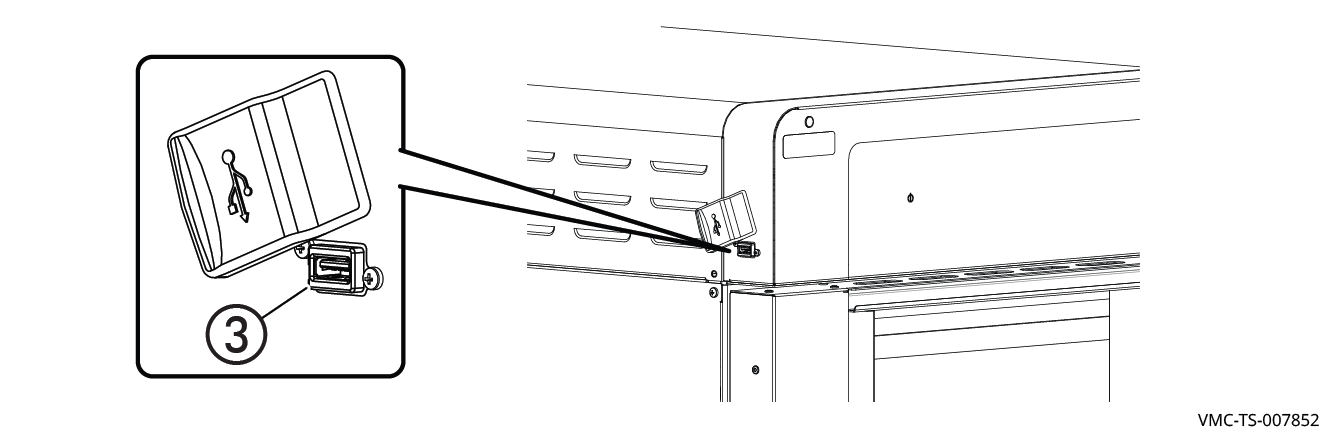
Plug the USB drive into the port ③.
-
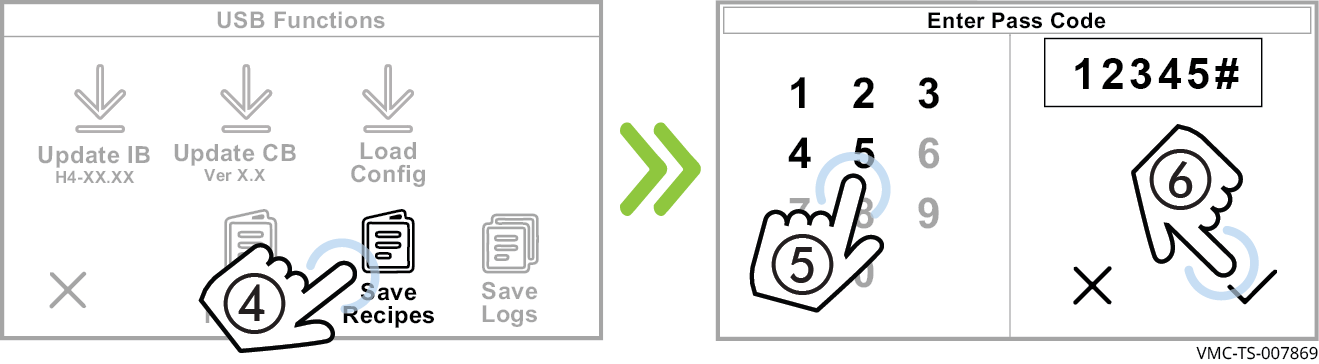
Touch Save Recipes ④. The Enter Pass Code screen displays. Enter the pass code 12345 ⑤. Touch the check mark ⑥.
The oven downloads the recipes onto the USB drive. The default name for the file generated is ui_dump.ai2. If another file with the same name is present, the oven will add numbers after the name so that no file is overwritten: ui_dump1.ai2, ui_dump2.ai2, ui_dump3.ai2 and so on.
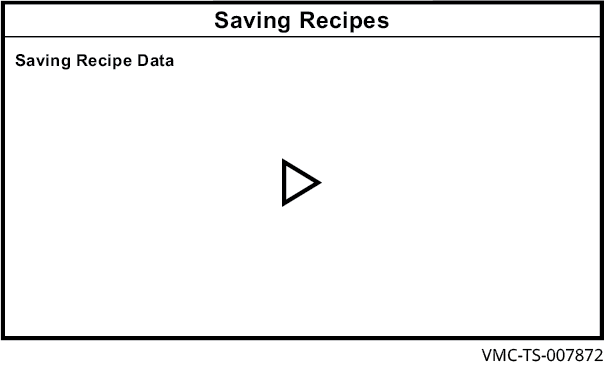
The Saving Recipes screen displays during the saving process. When the process is complete, the USB Functions screen displays.
-
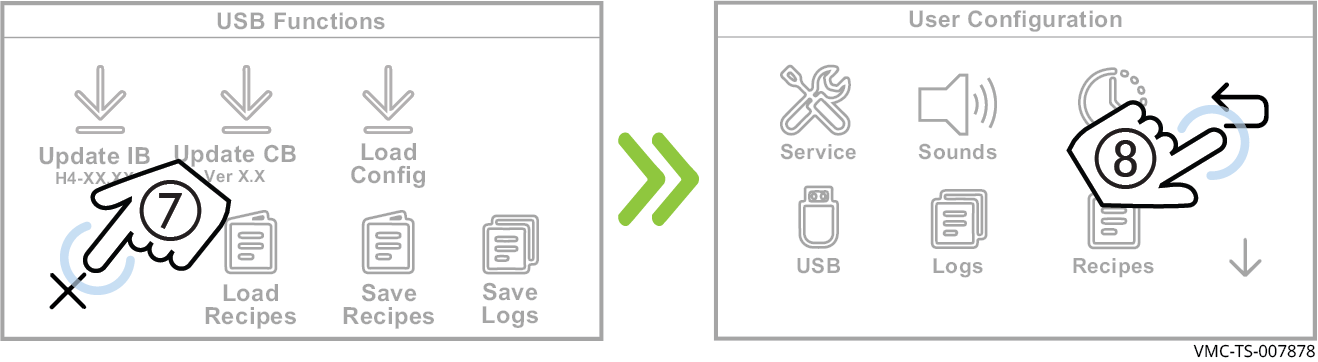
Touch the cancel icon ⑦ then the back arrow ⑧ to return to the home screen.
- Remove the USB drive.
Result
The recipes are now saved to the USB drive.