How to View Oven Information
Background
This procedure is to be done through the touchscreen on the Deluxe control, not through the ChefLinc™ oven management system.
The oven information screen shows the system info, serial number, network status, and connection settings.
Procedure
To view oven information, do the following.
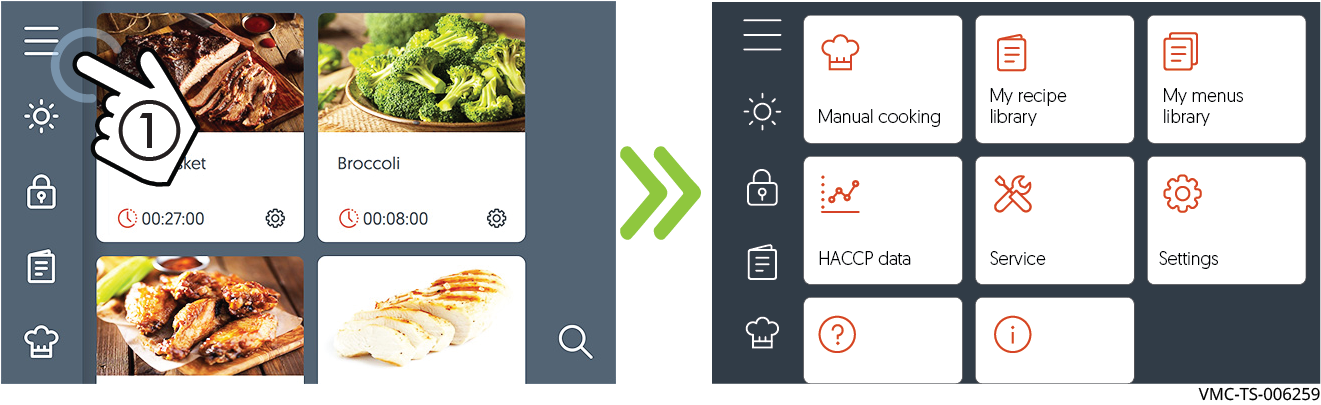
Touch the menu icon ①. The menu screen displays.
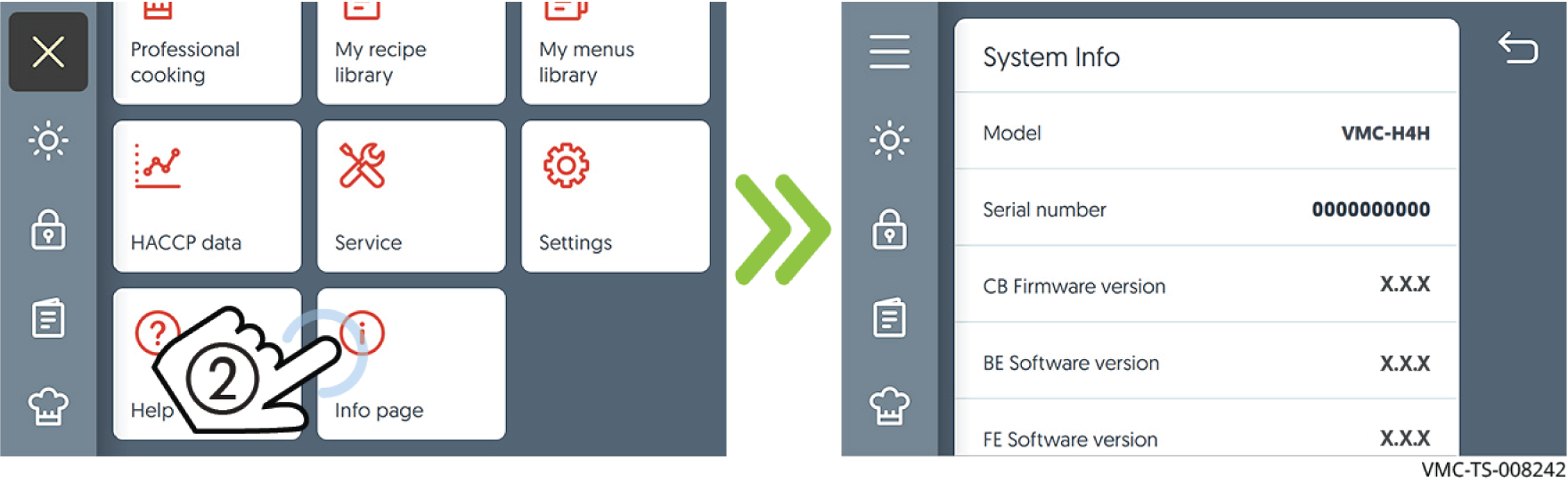
Touch the Info page icon ②. The oven information screen displays.
Scroll to view the oven model, serial number, system software, network status, and cleaning timer.
Result
The oven’s information has been viewed.